Who owns US public companies, quarter by quarter. No account needed.
The data is built from the filings investors make with the SEC: 13F (quarterly holdings of institutional investment managers), 13D and 13G (stakes of 5% or more) and Forms 3, 4 and 5 (officers, directors and 10% owners).
- Find a company or an investor
- Read the owners table
- A stake’s full history
- The history page, in full
- Compare companies
- Industries
- Checking a number at the SEC
- Finding and reporting errors
- How to check the data and report problems →
- Getting the full data
Find a company or an investor
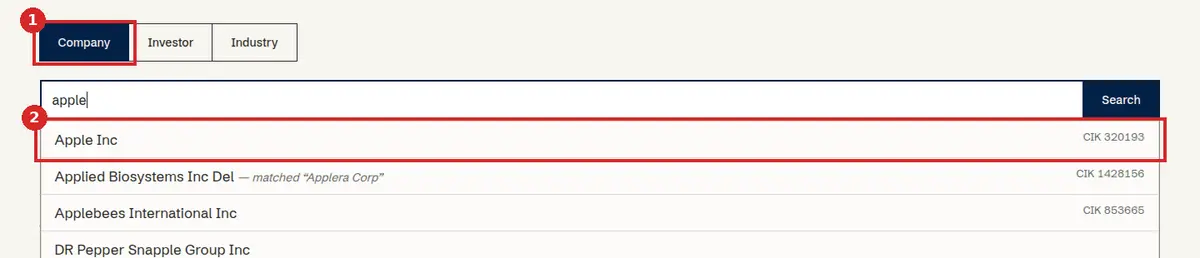
Start at the Data Explorer. Choose Company, Investor or Industry, type part of a name (for example “apple” or “vanguard”) and pick it from the suggestions. A company page shows who owns it. An investor page shows what it holds.
Read the owners table
- Choose a quarter in the “As of” bar. Every number on the page is for that quarter.
- Each row is one investor. Ownership β is the share of the company’s stock it holds. Control γ is its share of the voting rights. The two differ when a company has more than one class of stock.
- Source is the kind of filing the row comes from, and Filed is its date.
- Yellow rows are outliers: that quarter, the company’s total is unusually far from its own average. Red rows mark a known data problem that is under review.
- Totals can pass 100%, through short positions or the same shares counted twice. 13D, 13G and Forms 3/4/5 are filed only when a stake changes, so an empty quarter does not always mean there was no stake.
Each investor has an owner type, shown by colour on every page. The type is the kind of filing the investor makes:
- Big Three
- Vanguard, BlackRock and State Street (Barclays Global Investors before 2009, as its index business became BlackRock's)
- 13F filers
- files 13F (institutional investment managers)
- 13G filers
- files 13G only: never 13F, 13D or Forms 3/4/5
- 13D filers
- files 13D, never 13F or Forms 3/4/5
- Forms 3/4/5 filers
- files Forms 3, 4 or 5, never 13F
- Other
- no filing kind recorded
Owner types follow the forms each investor files with the SEC: 13F, Forms 3/4/5, 13D or 13G, in that order of precedence (an investor that files both 13F and Forms 3/4/5, such as Carl Icahn, counts as a 13F filer). Big Three is Vanguard, BlackRock and State Street.

A stake’s full history
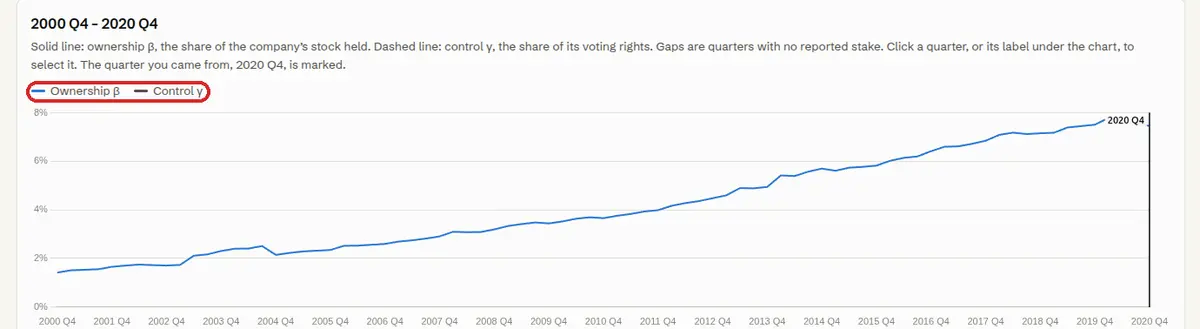
Point at a row on a company or investor page and click Full history. (On a phone, History › is always shown.) The chart shows β as a solid line and γ as a dashed line for every quarter; gaps are quarters with no reported stake. Use From and To to zoom in. The table below lists each quarter’s filing: the same filing date on several quarters means the stake was carried forward from one filing to the next. You can add up to five investors, or five companies, to one chart.
A stake’s full history, in full
Everything on the history page, control by control. The page shows one stake, or several stakes side by side, one point per quarter.
Add more owners or more companies
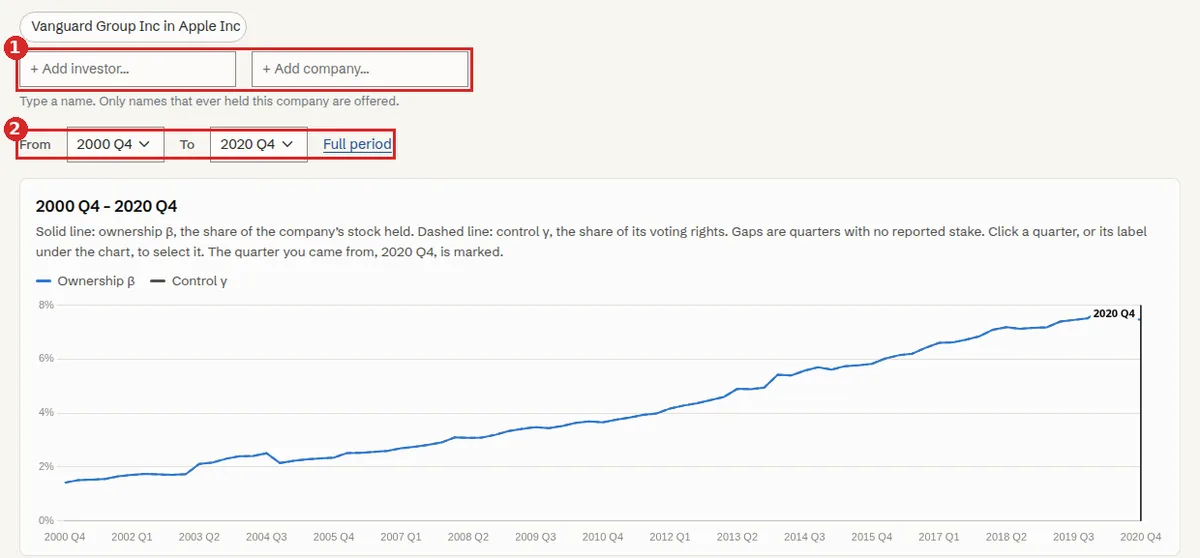
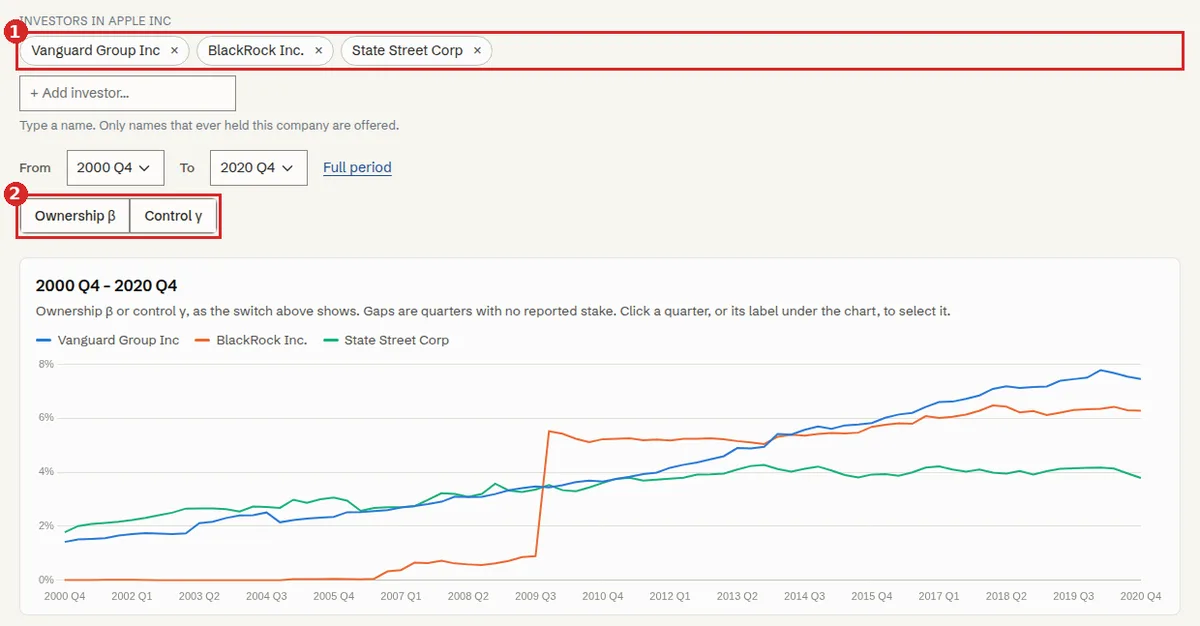
- Type in + Add investor… to put another owner of the same company on the chart, or in + Add company… to put another company held by the same investor. Only names that ever held the company (or were ever held by the investor) are offered.
- A chart can hold up to 5 series. At 5 the fields are switched off: remove one to add another.
- Pick one kind at a time: several investors in one company, or several companies for one investor. Once you have two investors, only + Add investor is offered.
- Each series is a chip above the chart. Click its × to remove it. The last one stays.
- With several series, the switch Ownership β / Control γ chooses which measure the chart and table show. With one stake the chart shows both, β solid and γ dashed.
Choose the quarters to look at
- From and To narrow the span; the page reloads. Full period goes back to every quarter.
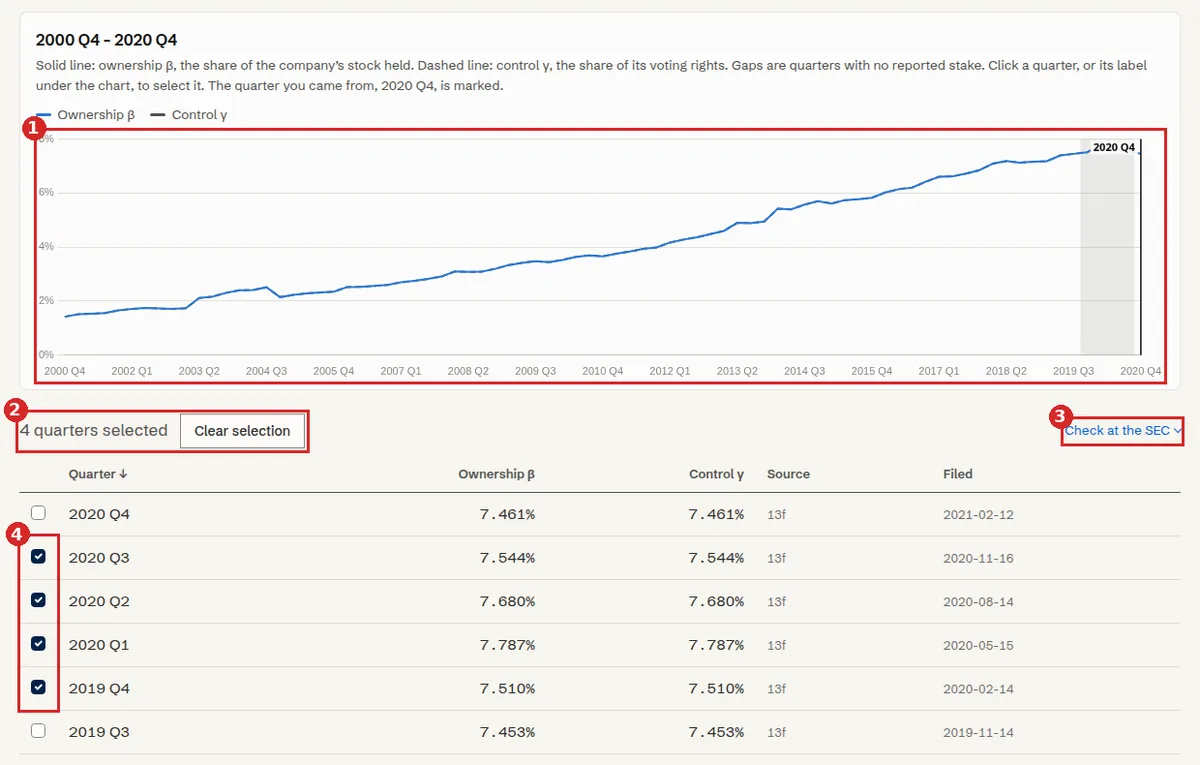
- Select quarters to work on: click a point on the chart or its label under the chart, or tick the box at the left of a table row. Click again to deselect. Each quarter is picked one at a time; there is no range select.
- The line under the chart says how many are selected (“4 quarters selected”). Clear selection empties it.
- Your selection is kept in the page address, so you can copy the link and send it to someone.
- Quarters with no reported stake are gaps in the line. If you arrived from a company or investor page, the quarter you came from is marked.
The table, the SEC menu and the report button
- The table has one row per quarter. For one stake it shows β, γ, Source and Filed; with several series, one column per series. Click Quarter in its header to reverse the order.
- Check at the SEC, at the right of the line under the chart (one per series when there are several), searches the filings for the selected quarters, or for the whole span if none is selected.
- Report on N quarters, at the bottom, reports every series and every selected quarter on the page (with nothing selected, the span shown). See how to report several quarters.
Compare companies
On a company page, choose Compare with another company. You see the profit weight each way: how much the shareholders of one company, counted by their votes, also own of the other, relative to their stake in their own company. A high value means the owners of A have a large interest in B’s profits. Who drives the link shows which investors make it up, and Investors who own both lists their stakes in each company. On an investor page, Companies held in common with another investor compares two or more investors the same way.

Industries
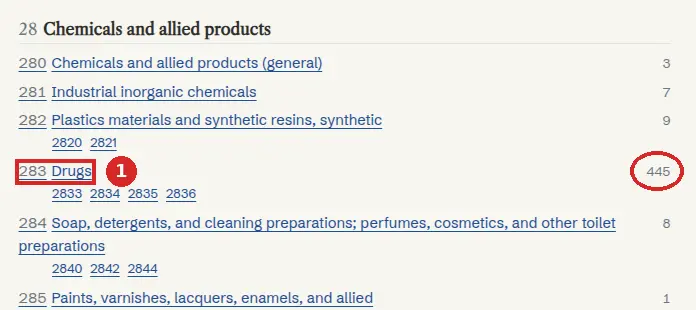
The industries page lists industries by SIC code. Open one to see the average profit weight between its companies, how it changed over time, a heatmap of the largest pairs (click a cell to compare the two companies), and the investors that drive it. Switch between S&P 500 companies and all companies, and choose a quarter.
Checking a number at the SEC
The ownership data comes from SEC filings, so the SEC’s EDGAR site is where you check it. Company, investor and history pages have a Check at the SEC menu, and the report dialog has Find the filing at the SEC. Every link opens sec.gov in a new tab. Our site sends the SEC only a CIK, form names and dates (and, in Find by name, a public name); the SEC sees nothing else about you.
What the links are
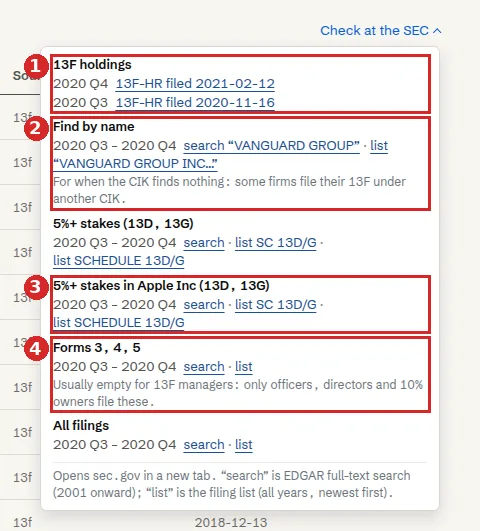
- search is EDGAR full-text search, which covers 2001 onward. For earlier quarters only list is offered.
- list is EDGAR’s filing list: all years, newest first.
- 13F filing row: where we have recorded the filing, the row links to the filing itself (“13F-HR filed 2021-02-12”); late amendments are listed as further rows. Otherwise you get search and list.
- The quarters feed the links. On a history page the menu follows your selected quarters (or the whole span if none are selected). A 13F is looked for from the quarter end up to 75 days after it. Other forms are looked for from the start of the quarter to 75 days after it. On a company page the links cover every year.
Which item answers which question
| You want to know | Use | Where the number is | Date to compare |
|---|---|---|---|
| What an institution held in a quarter | 13F holdings | The 13F’s information table (a separate document in the filing): the column Shrs or Prn Amt, with SH in the next column. The same company can appear on several rows (one per group of managers sharing the holding): add them up. Ignore rows marked Put or Call. | The period of report on the filing’s index page: the quarter end (not the filing date). |
| Who holds 5% or more, and since when | 5%+ stakes (13D, 13G); on a history page also 5%+ stakes in the company | The cover page: aggregate amount beneficially owned and percent of class (rows 11 and 13 on a 13D, rows 9 and 11 on a 13G). Every reporting person has its own cover page, so find the right name. | “Date of event which requires filing of this statement” on the cover, and the filing date. |
| What an officer, director or 10% owner holds | Forms 3, 4, 5 | Table I (non-derivative securities): on a Form 4, column 5, amount of securities beneficially owned following reported transaction(s); the last row is the latest. On a Form 3, column 2. | The transaction date (column 2 of the Form 4 row), not the filing date. |
| Founders’ stakes and votes in a company with several share classes | Company page: Proxy statements (DEF 14A) | The table Security ownership of certain beneficial owners and management: shares and percent for each holder. | The “as of” date in the sentence above the table. It is not the filing date. |
| How many shares the company has | Company page: Annual reports or Quarterly reports | The cover page, which gives shares outstanding for each class. | The date on the cover. |
| The CIK finds nothing | Find by name | As above. | As above. |
Our Filed column is the filing date: use it to find the filing, then compare the number with the date inside the filing. Our ownership β is shares held divided by shares outstanding, so for a 13F or a Form 4 you also need the share count from a 10-K or 10-Q cover.
Limits to know
- The SEC’s search and list pages are the SEC’s own and can change; the filing links (“13F-HR filed…”) are the stable ones.
- Searching by name is approximate. It matches whole words against the name as it was when the filing was made, so a renamed filer can be missed, and the list matches only names that begin with the text.
- Some firms file their 13F under another CIK than the one we hold. Find by name is for that case.
- Forms 3, 4 and 5 and 13D/13G have no direct link: find them by date in the search or list.
- Forms 3, 4, 5 are usually empty for 13F managers: only officers, directors and 10% owners file them. A company page has no such item: use All filings.
- With more than 8 quarters selected, the 13F rows share one window. A company with no SEC CIK on record gets only the name search.
Finding and reporting errors
We build the data from SEC filings with automated pipelines that we keep refining, so some numbers are still wrong. If you spot something that looks off, we would be very grateful if you let us know. No account is needed: point at the row and click report, or, for several quarters of one stake, use Report on N quarters on its history page. A member of our team reads every report. The guide below shows what to look for, how to check a number at the SEC, and what makes a report most useful.
How to check the data and report problems →
Known patterns: no need to report
- A stake disappears after 12 quarters. Filings made only when a stake changes (13D, 13G, Forms 3/4/5) are carried forward for up to 12 quarters, then dropped. The same Filed date on many quarters is one filing carried forward.
- Owner types are named by the forms an investor files. A parent company or a bank holding company that files a 13D shows as a 13D filer. That is by design.
- Red rows. A red row marks a known data problem that is already under review; its note says what is wrong.
Getting the full data
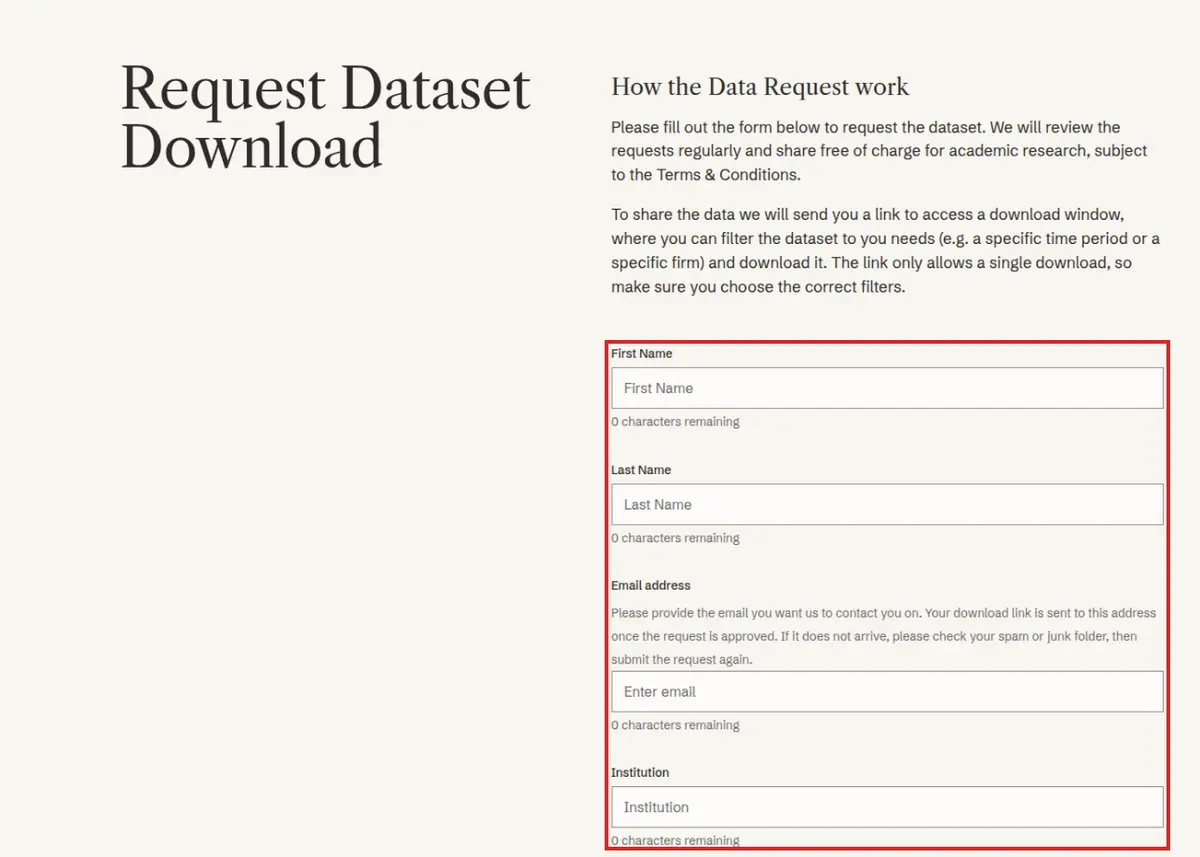
These pages are for looking up single companies and investors. Please don’t copy them with automated tools. If you need the full data, request a download. It is free of charge for academic research.